
Introducing
Multi Property Mode
One switch, and you’re managing every property in the group. Bookings, rates and inventory, all from a single screen.
One Hub for Every Property
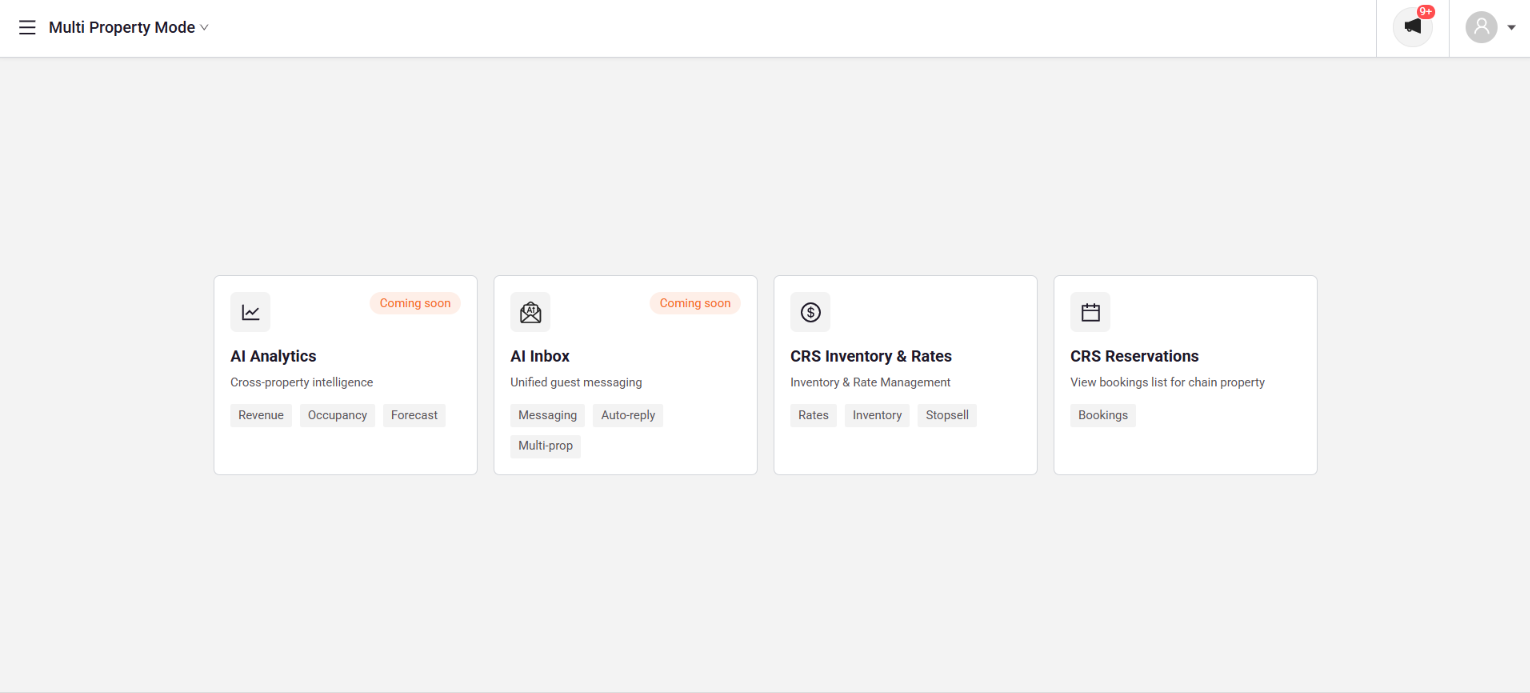
Multi Property Mode is a single home for everything group-level. Switch into it once, and every cross-property tool, live today or on the way, lives in one place instead of scattered across individual property logins.
Where to Find It
Open the property switcher in the top-left corner and select Multi Property Mode to move from a single property into the group view.
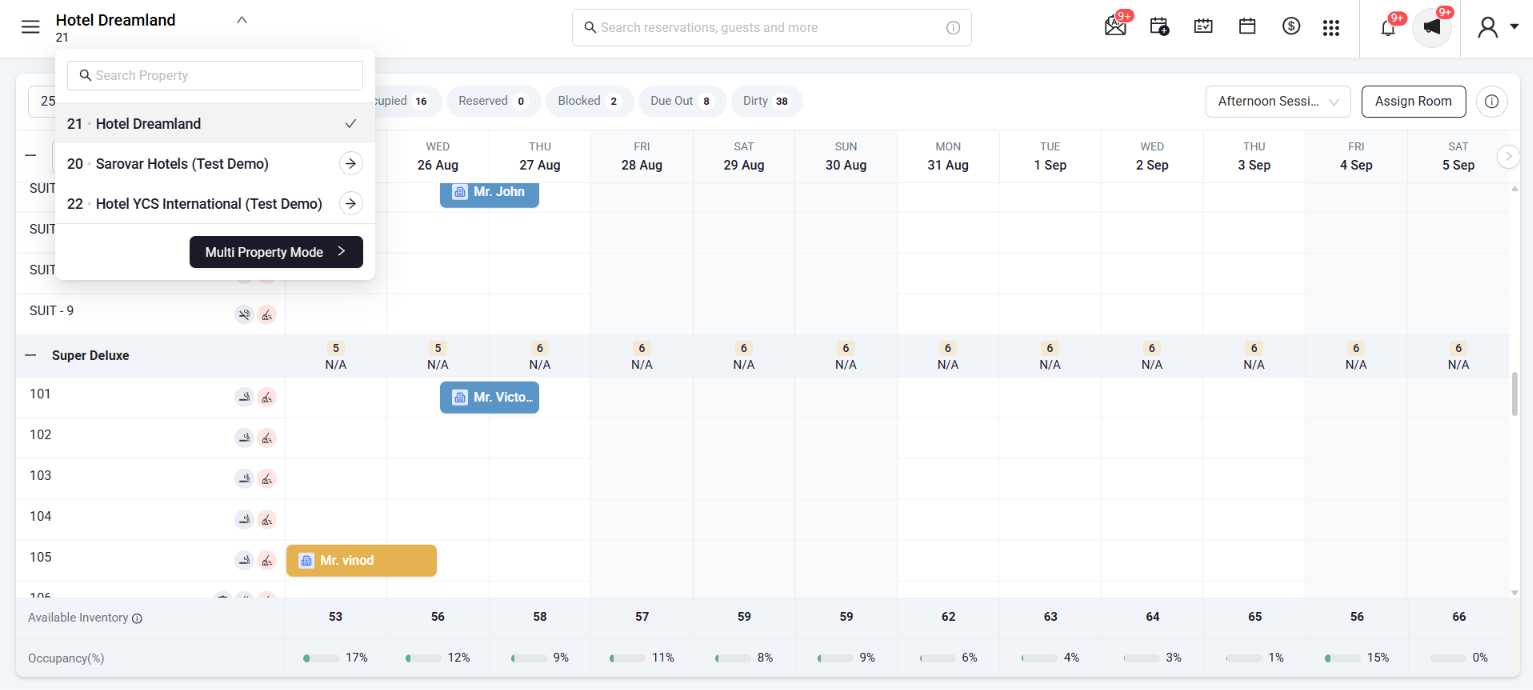
Your Hub for Everything Group-Level
Once inside, every group tool sits on one screen, or in the sidebar if you’d rather navigate that way.
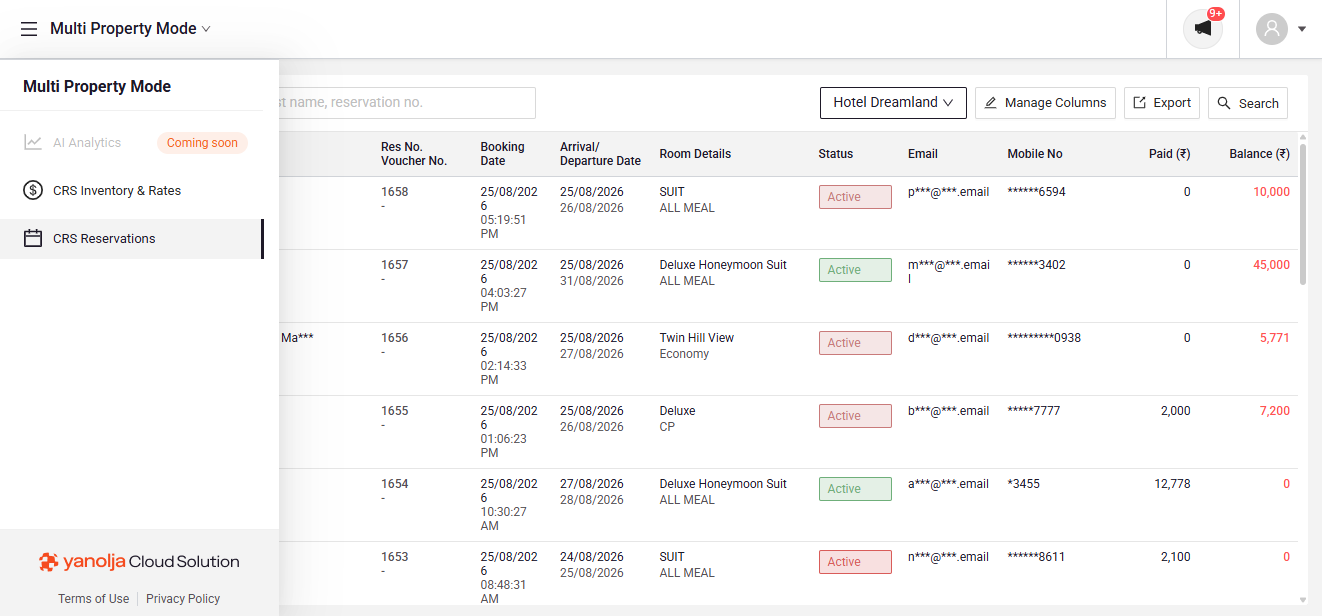
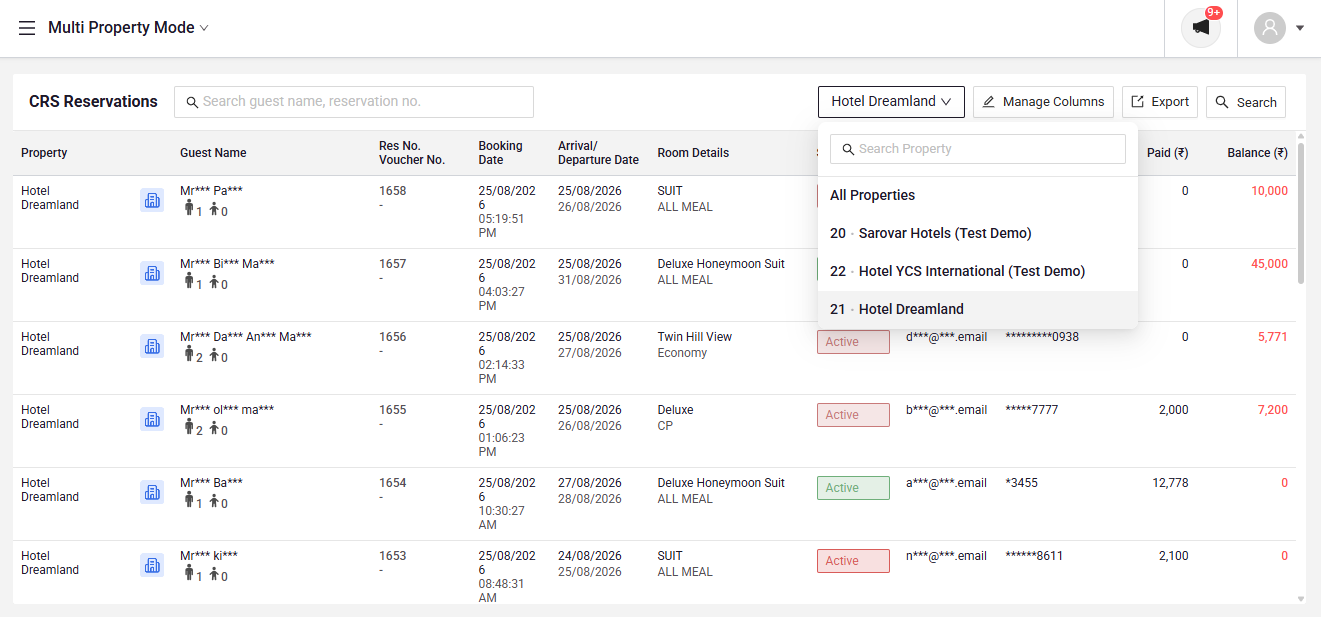
CRS Reservations
Keep track of every booking in every property of your group from a single page. No need to switch properties all the time, just search, filter, and export whenever you need to.
CRS Inventory & Rates
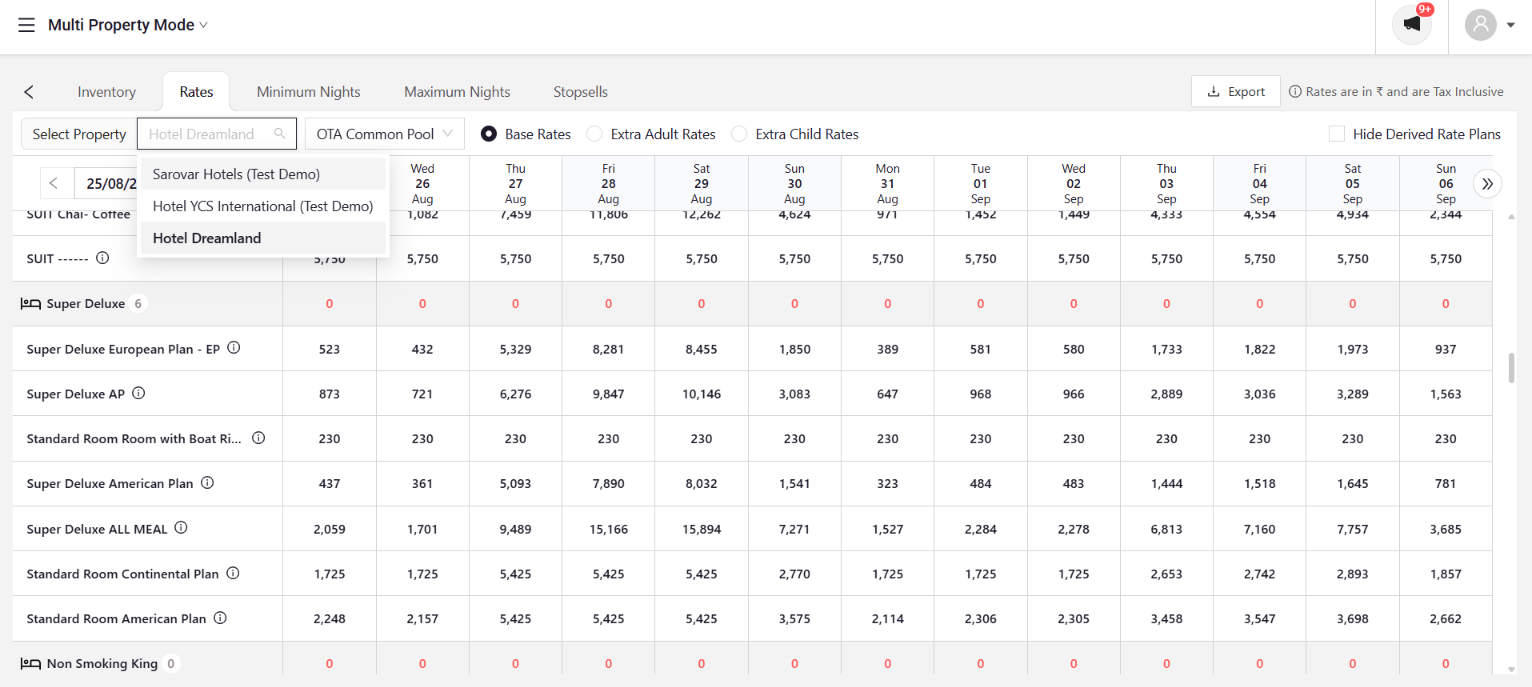
Check the rates and inventory for any property in the group, all from one screen. You can also export this data whenever you need it.
What’s Coming
Two more tools are on the way to round out the hub.
Cross-property intelligence covering revenue, occupancy and forecast.
Unified guest messaging with auto-reply, across every property.
Why This Matters
No more jumping between property logins to manage the group. Multi Property Mode brings bookings, rates and inventory into one screen today, with analytics and messaging joining soon.