
Introducing
CRS Reservations
One login, every property. See, search and export every booking across your entire group from a single screen.
All Your Bookings, One Screen
CRS Reservations brings bookings from every property in your group into one view-only screen. Search, filter, and export, all from a single login, with nothing here that can be edited or changed.
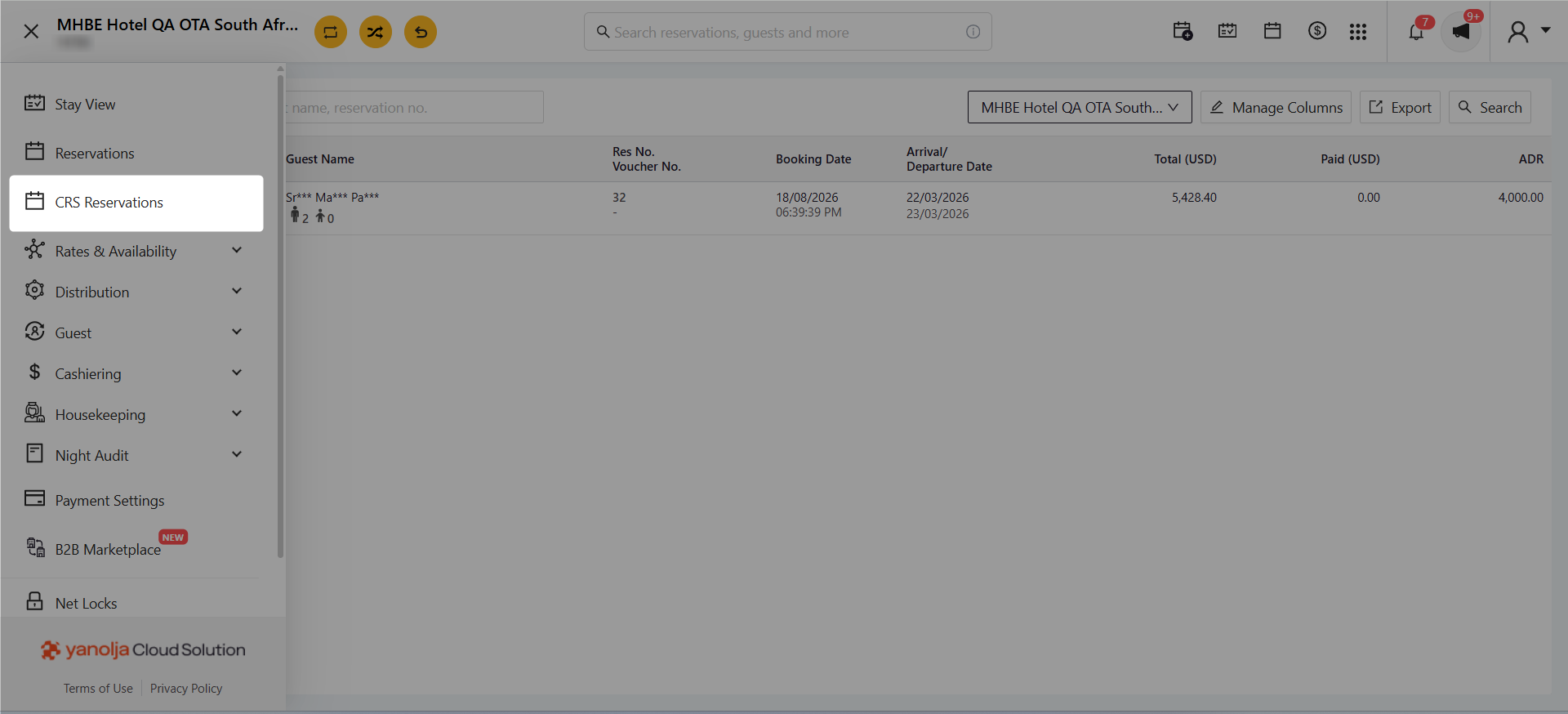
Where to Find It
Available for CRS (group) properties under CRS → Reservations, showing bookings from every property in the group in one list.
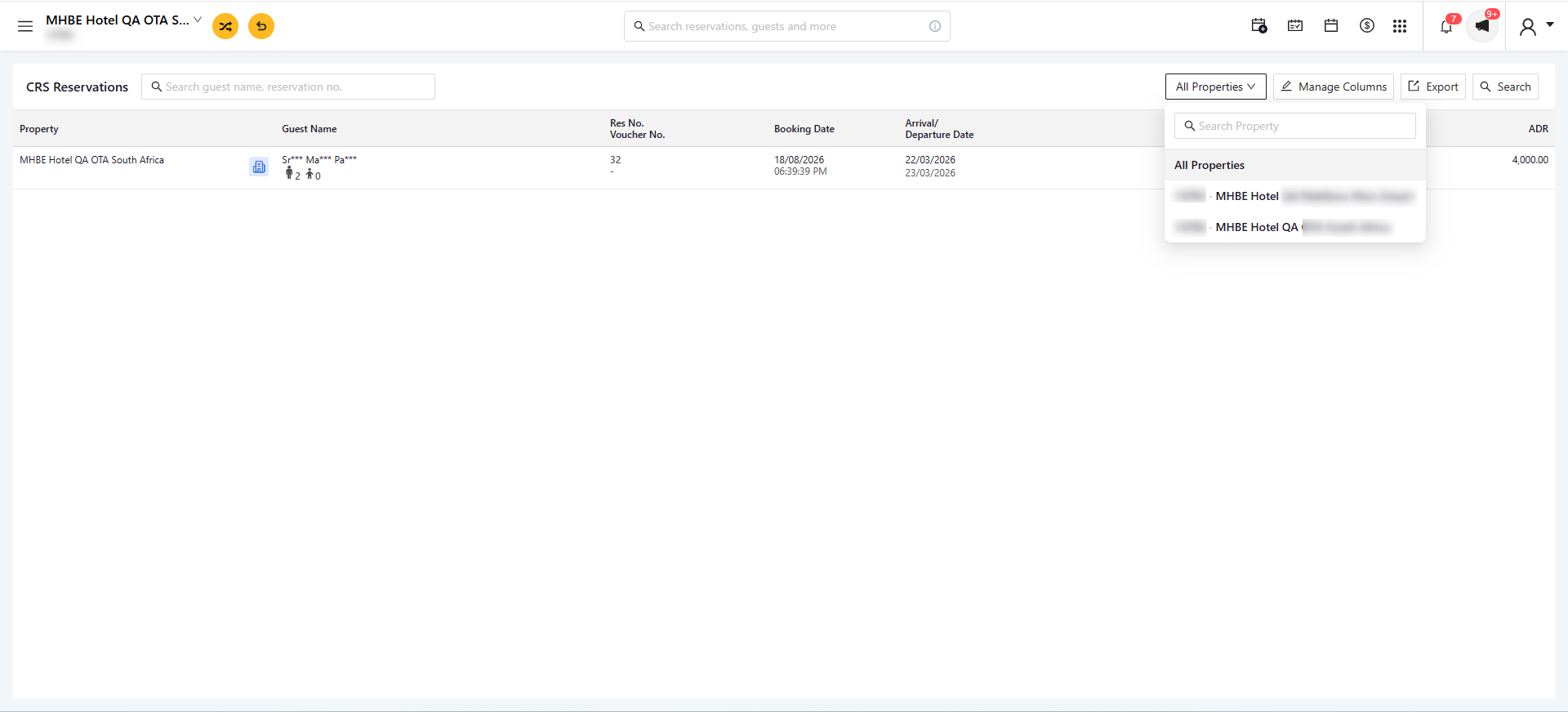
Pick a Property, or See Them All
Switch between individual properties in the group, or leave it on the group view to see every property’s bookings together in one list.
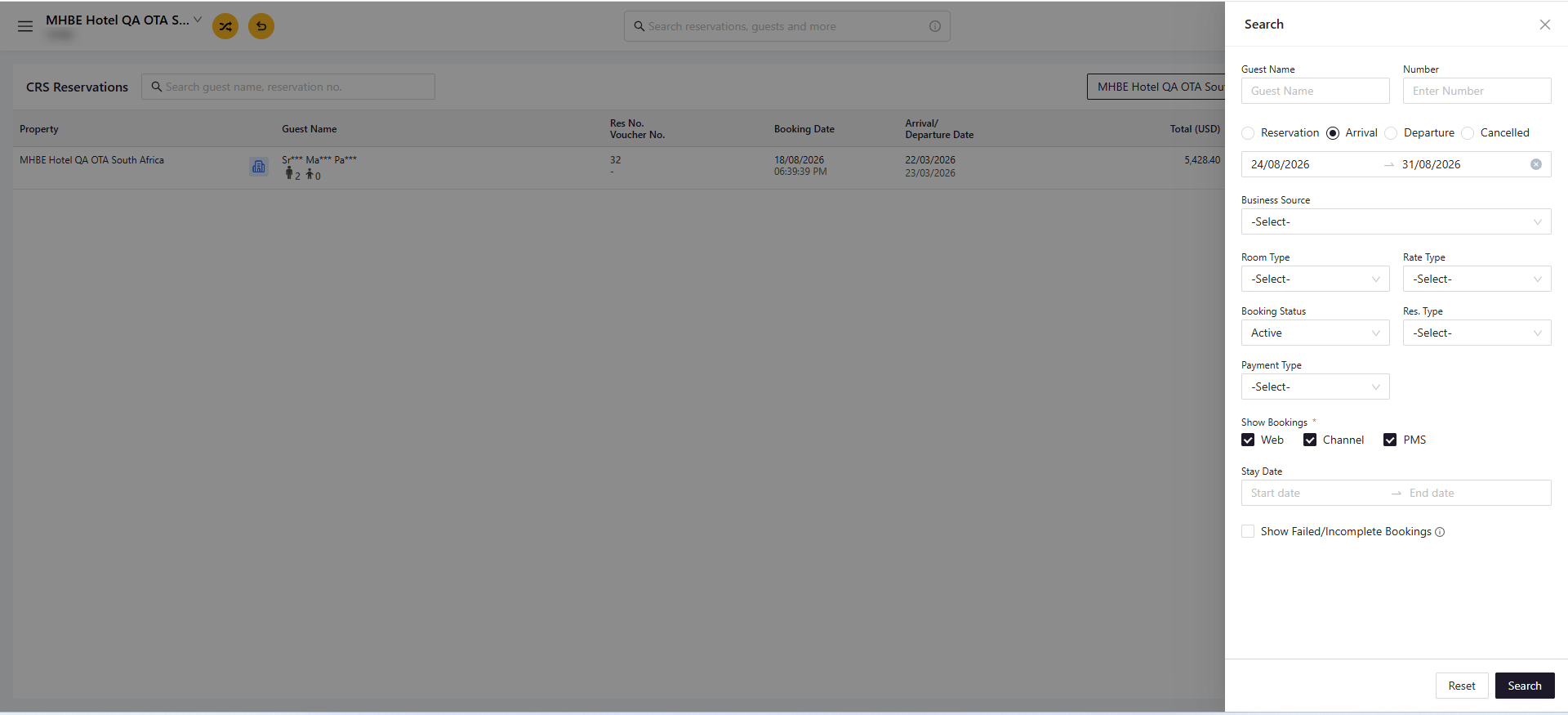
Search & Filter
Hit Search to open the filter panel. Look up a guest by name or number, pick reservation, arrival, departure or cancelled bookings, and set a date range. Refine further by business source, room type, rate type, booking status, res. type, payment type or PMS status, and choose whether to include Web, Channel and PMS bookings.
Good to Know
Nothing here can be edited, so it’s safe to open up widely.
Manage Columns lets you pick a minimum of 5 and a maximum of 10.
Export the exact list you’re viewing in a single click.
Why This Matters
No more logging in and out of each property to piece together the full picture. CRS Reservations puts every booking across the group in one screen, ready to search, filter and export whenever it’s needed.