
Overview
We have introduced an important upgrade to the Extra Charge Document Numbering system to enhance accuracy, consistency, and operational efficiency across all hotels.
This enhancement standardizes voucher number generation by enforcing a single, reliable numbering sequence, eliminating manual dependencies and inconsistencies.
What Has Changed
Before:
- Auto General Mode – System-generated sequential numbering
- Auto Private Mode – Separate numbering per category
- Manual Mode – Enter voucher numbers manually
After Upgrade:
- Auto General Mode only (system-controlled)
- Manual and Auto Private modes removed
- Single unified numbering sequence
Upgraded Feature
All document numbering is now standardized to Auto General (Auto-Increment) mode across all hotels. Users can no longer configure voucher numbering.
Value Delivered
- Improved Financial Accuracy: Eliminates manual errors and duplicate entries
- Better Audit Compliance: Ensures clear and traceable records
- Faster Front Desk Operations: Removes manual effort and speeds up billing
- Standardized Process: Unified numbering improves reporting and reconciliation
- Stronger Control: Prevents misconfiguration across properties
Detailed Configuration Changes
The Voucher Number Type option is now disabled and cannot be modified.
Path:
PMS -> Configuration -> Settings -> Extra Charge Voucher
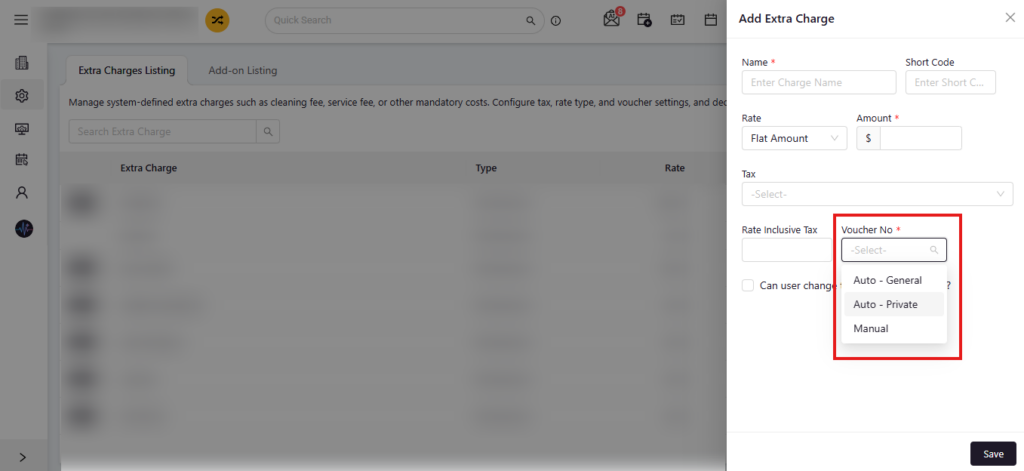
Before Change:
- Auto General, Auto Private, Manual selection available
- Users could modify numbering behavior
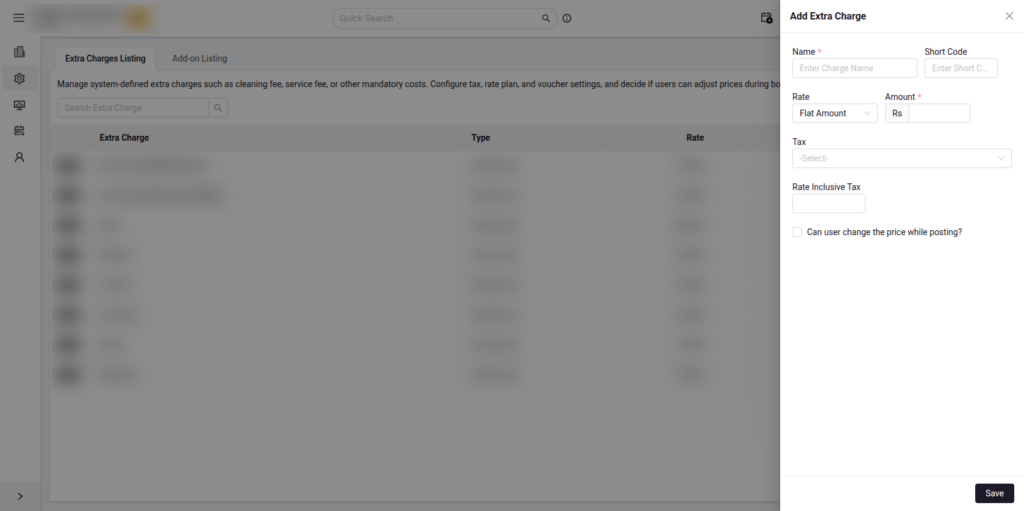
After Change:
- Only Auto General enforced
- Users cannot control numbering
Risks Before:
- Duplicate or skipped numbers
- Inconsistency across properties
- Audit gaps
Purpose After:
- Prevent misconfiguration
- Standardize numbering
- Maintain centralized control
Auto Private Mode Deprecated
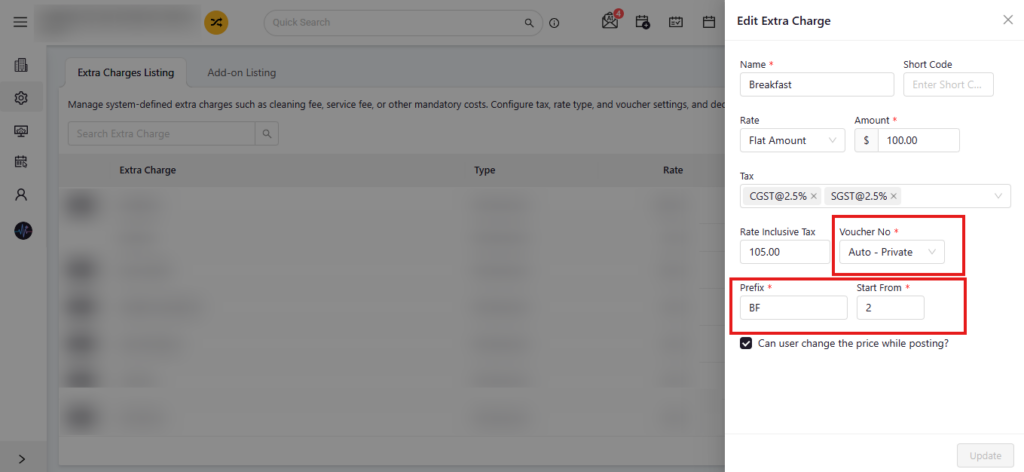
Before:
- Prefix and starting number per category
- Separate numbering sequences
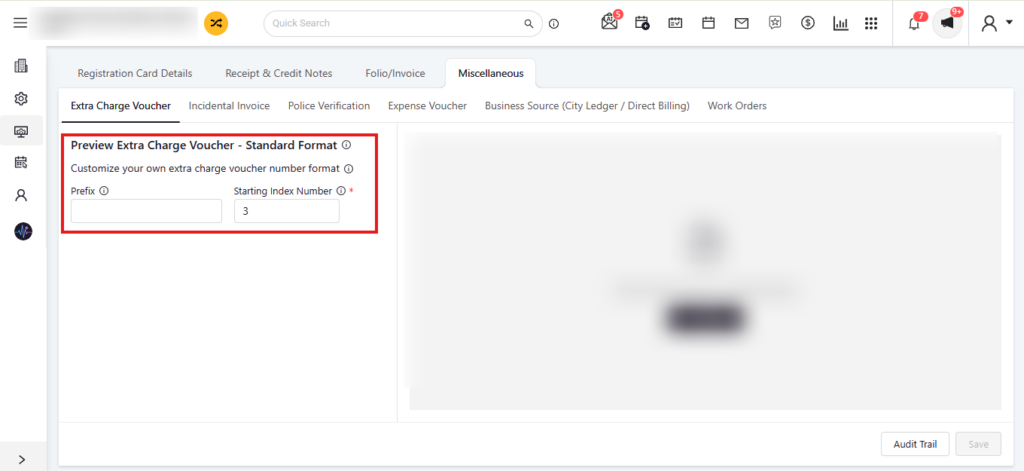
After:
- Single global prefix for all extra charges
- Single unified numbering sequence
- Global starting index only
Path: - Configuration -> Documents -> Miscellaneous -> Extra Charge Voucher
- Users can still configure Prefix and Starting Index, but only at a global level, ensuring a consistent numbering sequence across all Extra Charges.
Manual Mode Deprecated
Before:
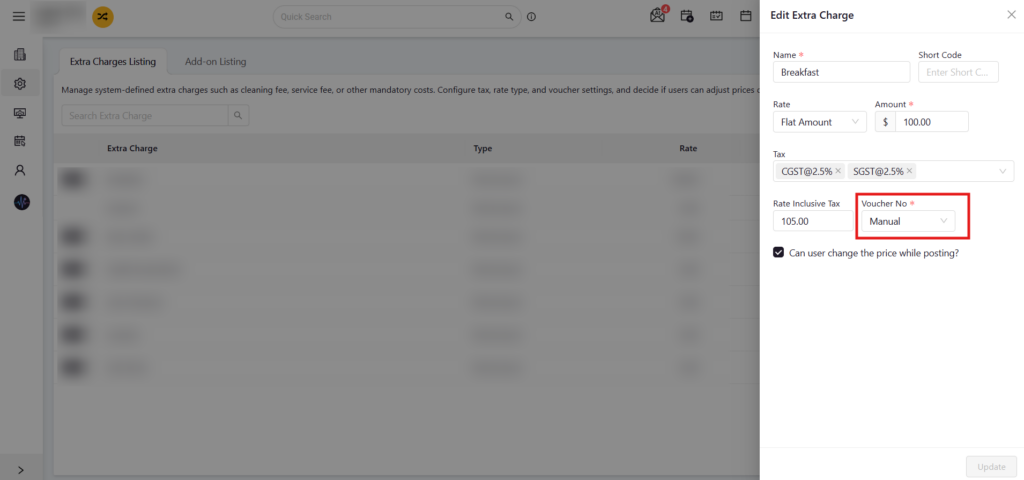
- Users had control over voucher numbering behavior by selecting the manual mode in the voucher field for any category from extra charges listing in configurations.
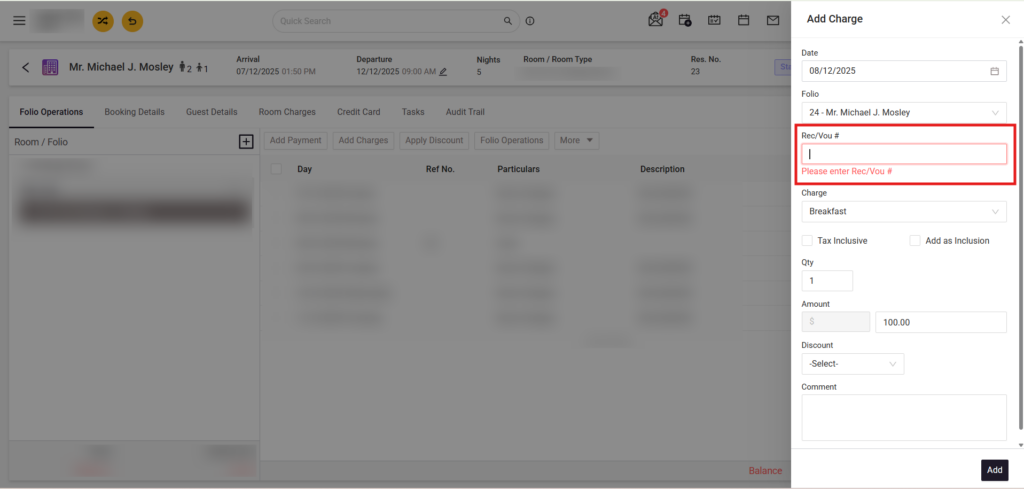
- Users could manually enter voucher numbers from add charge section by editing any reservation.
After
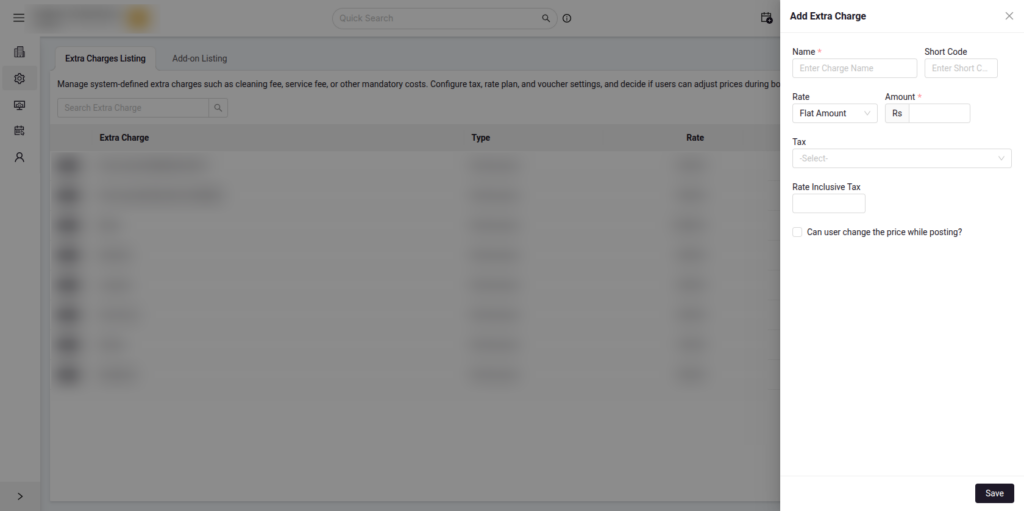
- Manual mode for voucher number selection has been removed
- Voucher numbering is now automatically managed by the system
Summary
- No duplicate or incorrect voucher numbers
- Consistent financial records
- Faster front desk workflows
- Improved audit readiness
- Centralized system control
As part of this system upgrade, the changes have been applied automatically:
- No action required from users
- Workflows continue without disruption
- Voucher numbering is fully automated
The Extra Charge Document Numbering process is now standardized, automated, and secure, delivering a more reliable and efficient experience across all hotels.