
Introducing the New
Simplified Night Audit Flow
The Night Audit process is one of the most important daily operations for every hotel. To make it faster, easier, and more reliable, we have completely redesigned the Night Audit experience.
What’s Changed
The new flow reduces complexity, improves visibility for front desk teams, and helps properties complete end-of-day operations with greater confidence and fewer manual steps.
Enhanced Night Audit Enabled Now
To ensure business dates close on time, you now use Auto Night Audit as well. This ensures smooth and reliable day closure without interrupting operations.
Reliable Day Closure — Every Night
If you are using manual Night Audit, you can start using Auto Mode. Staff can still manually run Night Audit anytime after 12:00 AM before the scheduled auto-run.
- Existing Auto Night Audit settings and schedules remain unchanged
- Properties using manual Night Audit will have a chance to to use Auto Mode
- Default Auto Run Night Audit time will be set to 6:00 AM
- Staff can still manually run Night Audit anytime after 12:00 AM before the scheduled auto-run
Faster Night Audit in Just 3 Simple Steps
The Night Audit process is now cleaner and easier to follow. This simplified process helps teams complete Night Audit faster with fewer clicks and less confusion.
Review all guests with departures due. Each folio shows its total, balance, and Due Out status so your team knows exactly what needs attention before the night closes.
- Due Out status per folio
- Settle outstanding balances
- Mark each checkout complete
All arriving reservations listed with guest name, room, plan type, and deposit details. Select records, enable Auto Assign Rooms, and bulk check in — all from one screen.
- Auto assign rooms in bulk
- Select & check in multiple guests
- Void directly from this screen
Confirm the next business date and click Finish — the system date rolls over instantly. Nightly charges are posted and the audit log is saved automatically.
- Confirm next business date
- Nightly charges posted auto
- Day closes, audit logged
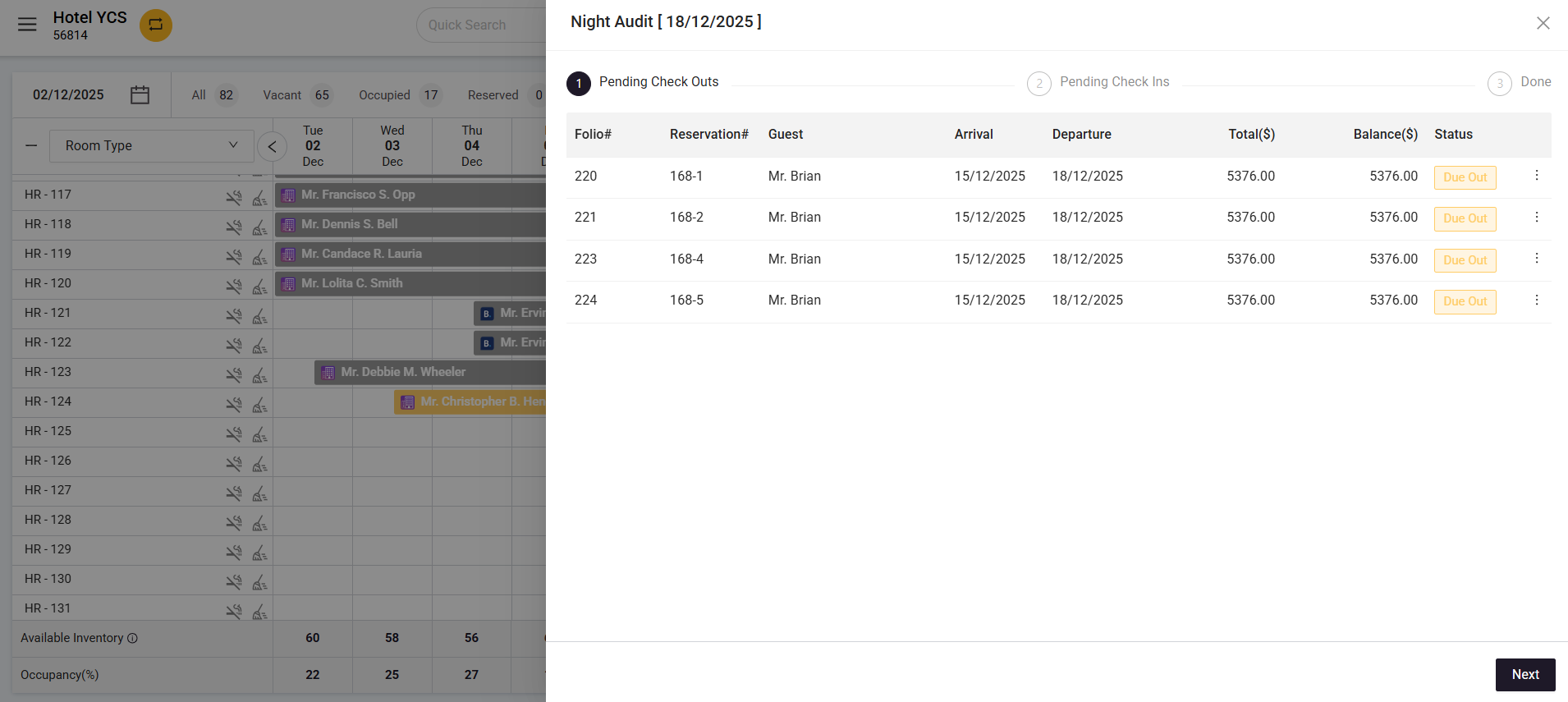
Pending Check-outs
The system lists all guests with an upcoming departure, their folio details, total, balance, and current status — clearly marked as “Due Out” so your team knows exactly what needs attention before the night closes.
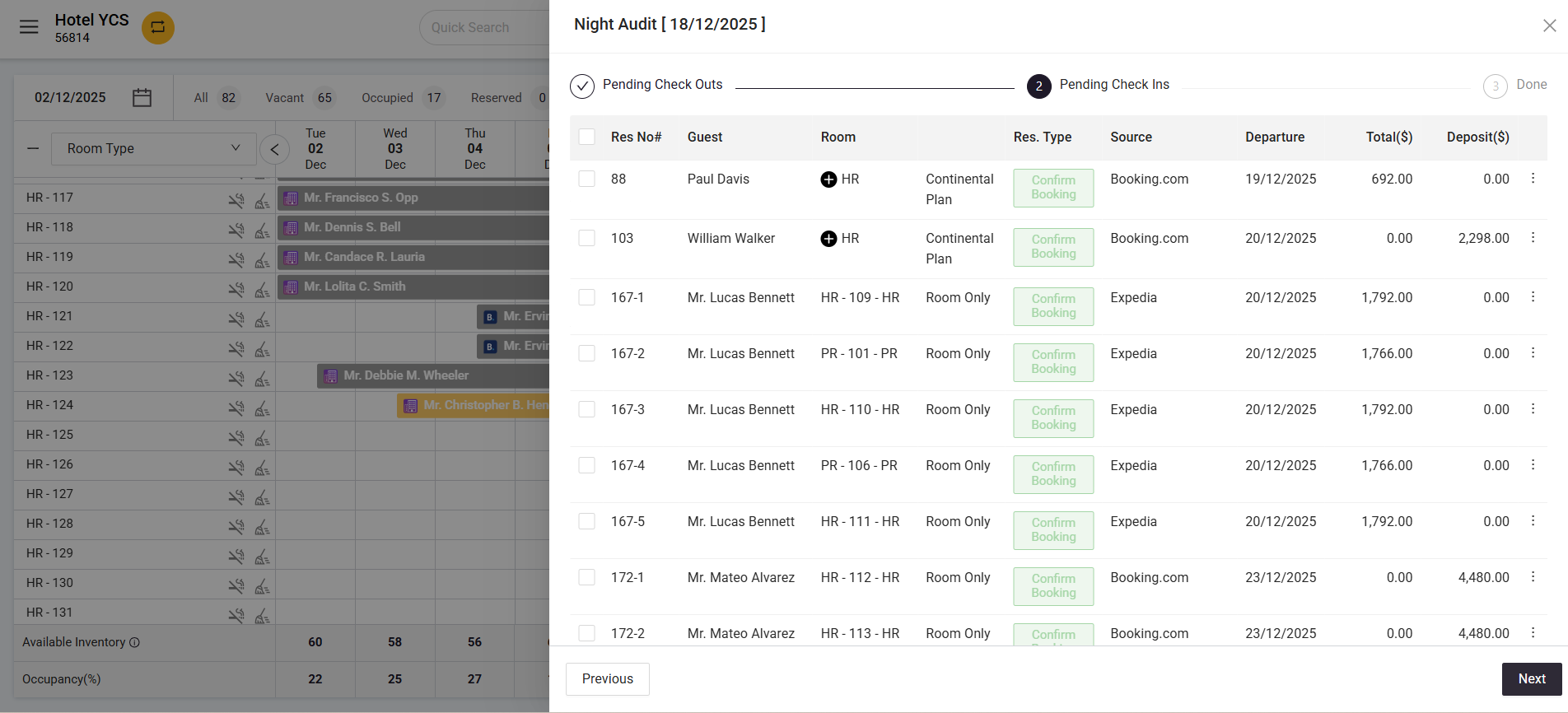
Pending Check-ins & Room Assignment
All arriving reservations are listed with guest name, room, plan type, source, departure date, and deposit details. Select records, enable Auto Assign Rooms, and bulk check in — all from one screen.
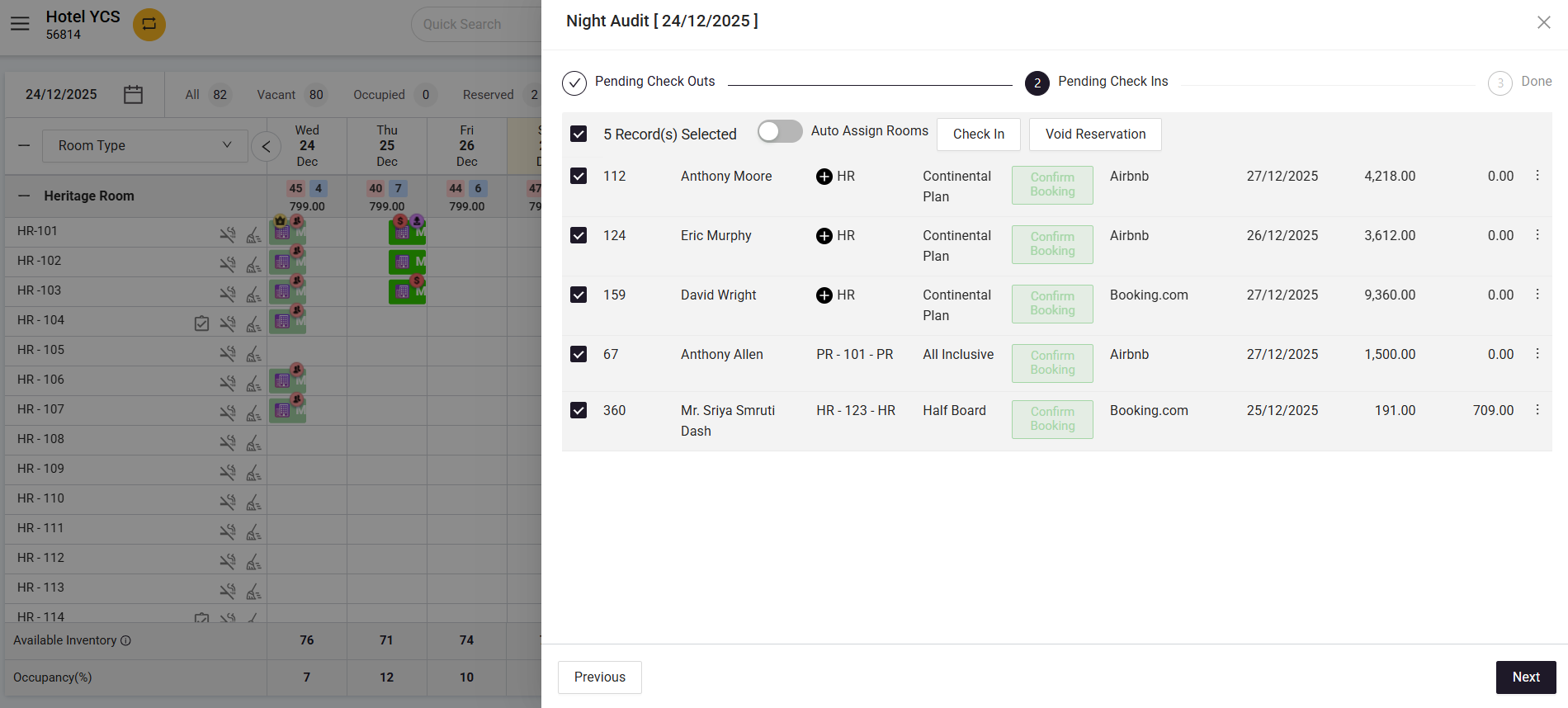
Bulk Check-in During Night Audit
Select multiple reservations at once and check them in or void directly within the Night Audit flow. The Auto Assign Rooms toggle makes room allocation effortless for arriving guests.
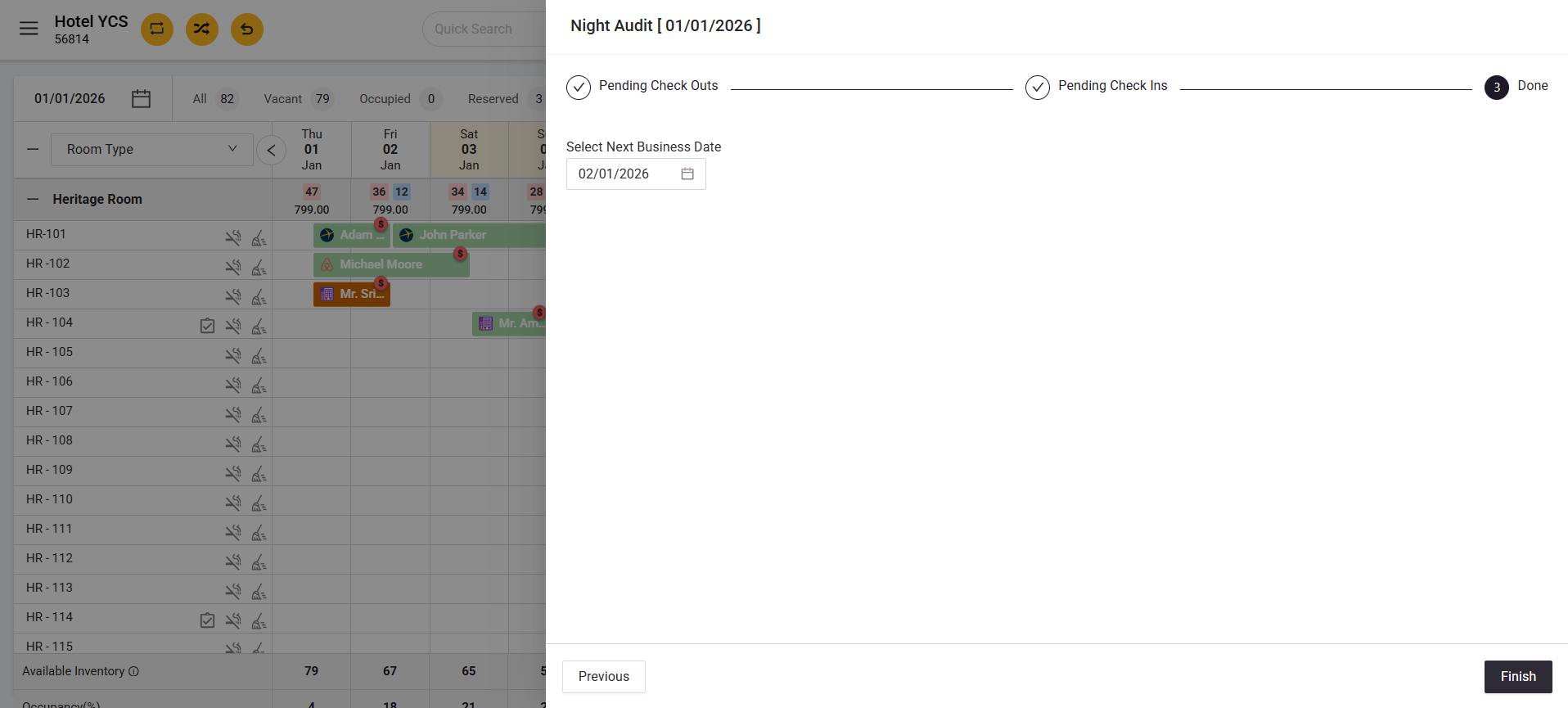
Done..!
Once everything is done you can simply close the day by clicking on “Finish” and your system date is changed.
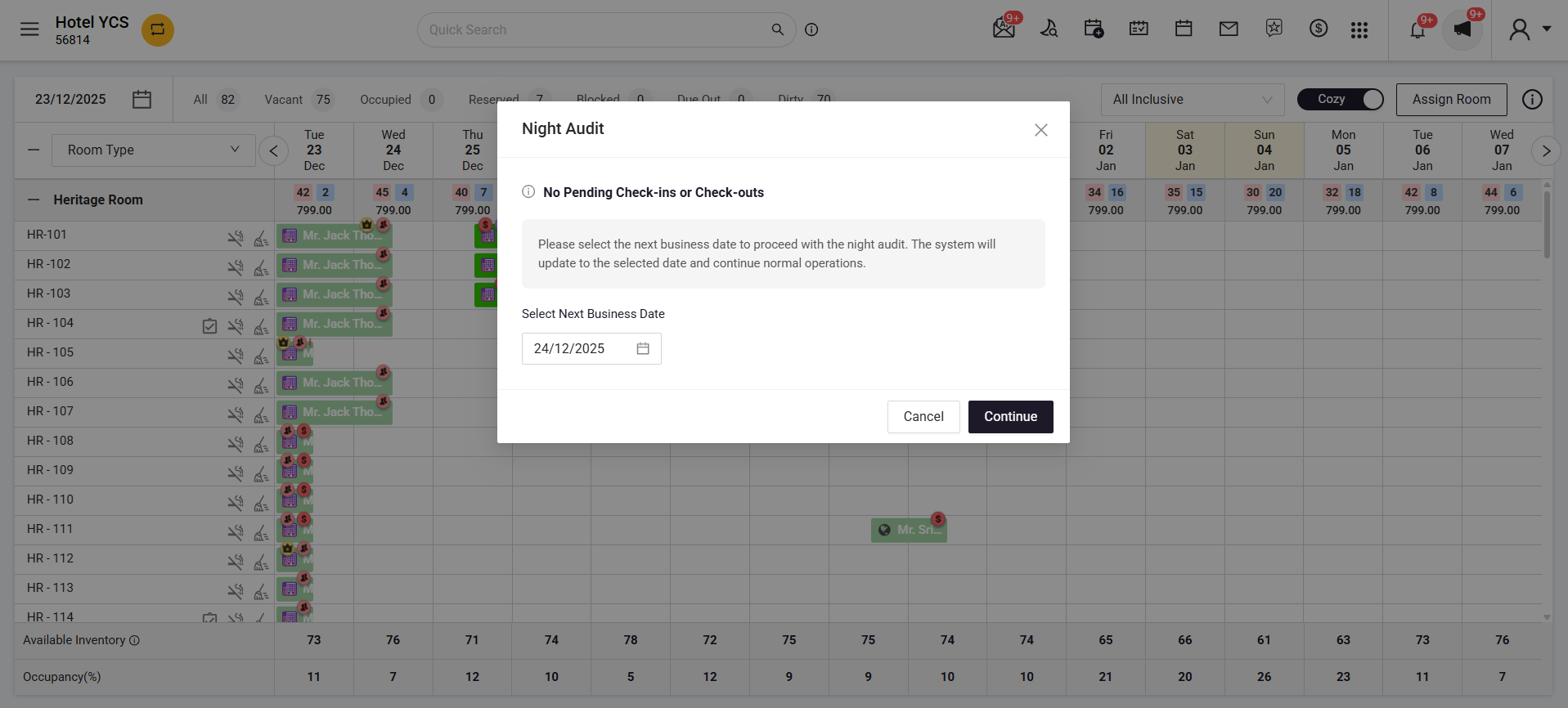
Quick Night Audit for Faster Closures
If there are no pending check-ins or check-outs, the system skips the full Night Audit screen entirely. A simple popup appears where staff only need to confirm the next business date and continue.
- No pending check-ins or check-outs? The full audit screen is skipped automatically
- Staff simply confirm the next business date and proceed
- Nightly charges are posted automatically
- Complete Night Audit in seconds
New Front Desk Operations Screen
The previous Unsettled Folio screen has been upgraded to Front Desk Operations. Everything is now available in one place, making it easier for staff to identify and resolve pending operations quickly.
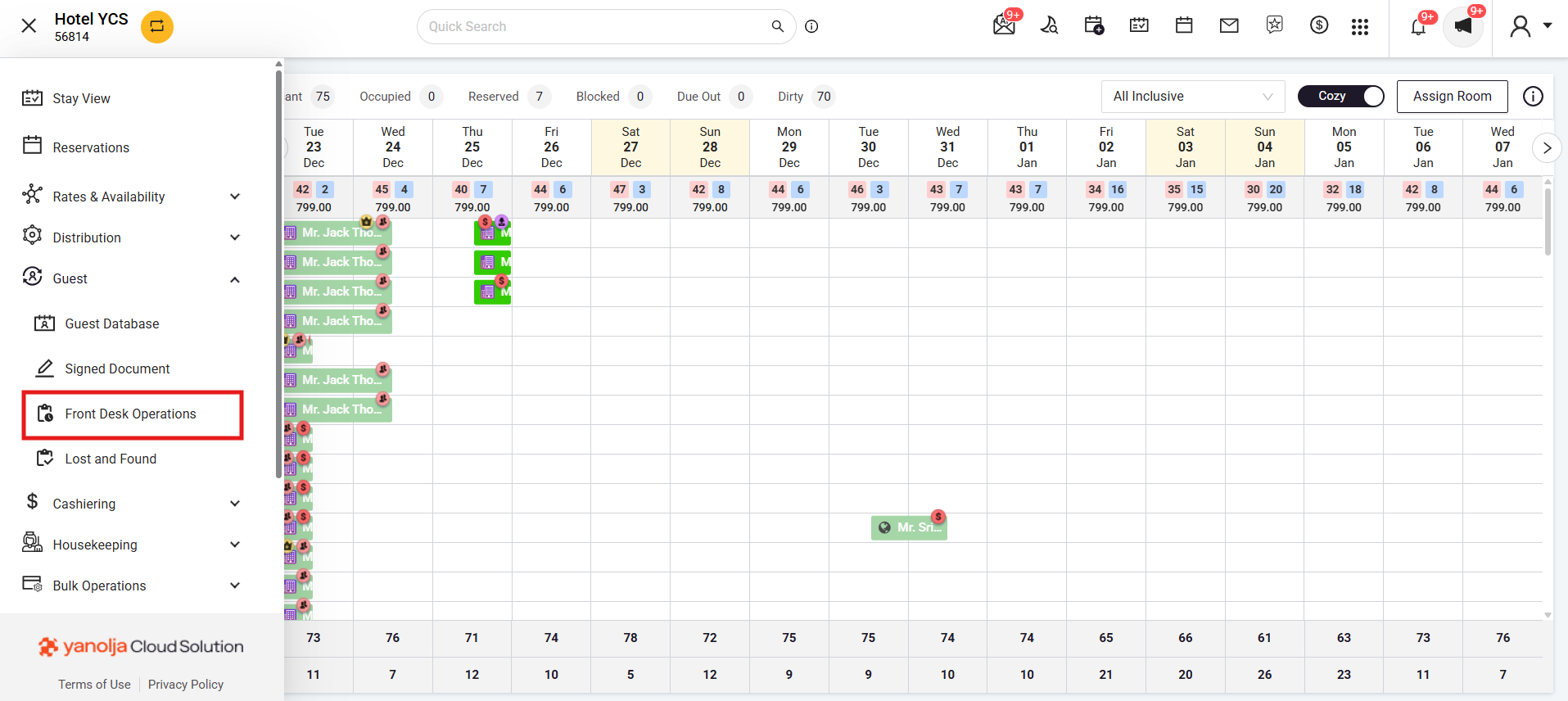
Everything in One Place
This new screen combines outstanding folios, missed check-ins, and missed check-outs — all accessible from a single location in the navigation.
- Outstanding folios
- Missed check-ins
- Missed check-outs
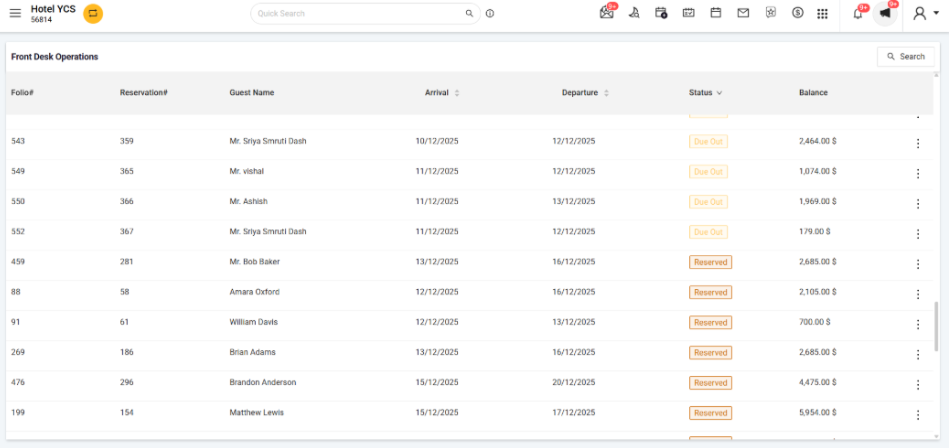
Folio & Reservation Status at a Glance
Each row shows the folio number, reservation number, guest name, arrival and departure dates, current status (Due Out, Reserved, etc.), and outstanding balance — so your team knows exactly what needs action.
Past Date Check-in and Check-out Support
Missed a check-in or check-out during Auto Night Audit? Authorized staff can now complete past date operations directly from the system.
Pending actions are clearly visible under Arrival and Departure tabs for easy follow-up. This gives teams more flexibility while maintaining operational accuracy.
Improved Financial Year-End Handling
On the final day of the financial year, the system automatically guides users through document numbering review before rollover.
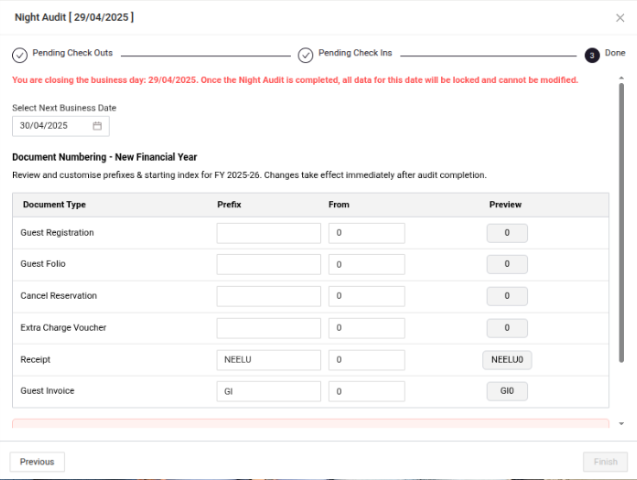
Automatic Year-End Document Numbering
Teams can review and customise numbering prefixes and starting indexes for the new financial year before the audit completes. Changes take effect immediately after audit completion.
- Guest Registration
- Guest Folio
- Cancel Reservation
- Extra Charge Voucher
- Receipt
- Guest Invoice
For properties using Auto Night Audit, the rollover process and numbering reset happen automatically based on configured settings, with confirmation emails and audit logs generated for tracking.
What This Means for Your Team
The new Simplified Night Audit Flow is designed to help your front desk team work faster, reduce manual effort, and manage day-end operations with greater confidence.