
What’s Changing:
Previously, if a reservation was marked as Due Out, the night audit process could not complete successfully, requiring manual intervention.
With this enhancement, if a guest hasn’t checked out before night audit time, the system will automatically extend the stay by one day, provided inventory is available for the same room.
In order to enable Auto Extend Stay, kindly follow below steps:
- Go to PMS Configuration
- Navigate to Settings > Others > Auto Settings
- Turn on Enable Auto Night Audit
Check the option Enable Auto Extend 1-Day for Reservation Not Checked Out
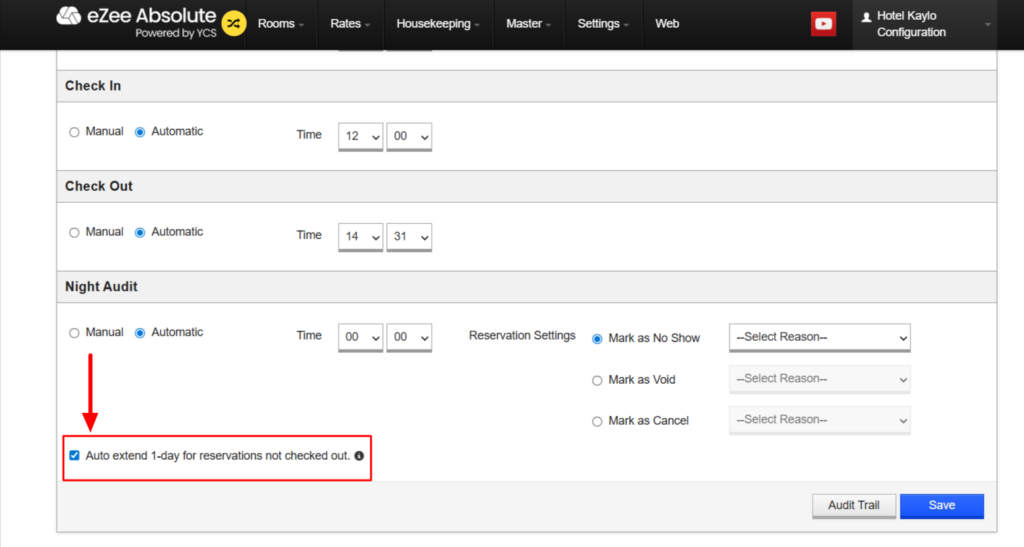
With Auto Extend Stay, the system automatically amends the reservation for room that has not been checked out before the night audit if the inventory is available for the same room.
- If inventory is available, the stay will be extended by one day, ensuring no disruption in operations.
- If inventory is not available, the Auto Night Audit will not be completed and notify the hotelier that the process has not been completed so you are always aware.
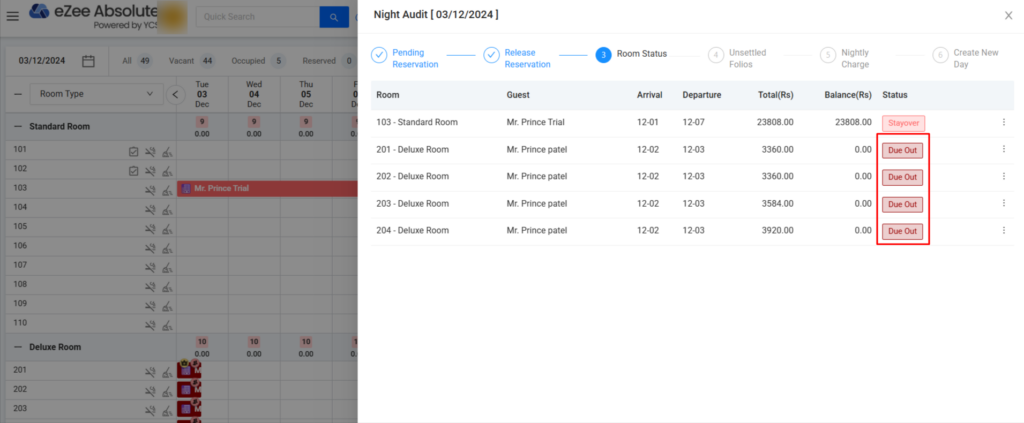
Benefits:
This enhancement ensures smoother operations, reduces manual intervention, and improves night audit failures caused by missed check-outs.
- Reduced manual work for staff
- Fewer interruptions during night audits
- Better control and visibility for hotel operations